OBD2 Scanner: Code Fix Guide
AMA TechnologyAuto & Vehicles
3.112.00 Reviews
- Version
- 1.1.9
- Installs
- 10.00K
- Age Rating
- Everyone
Screenshots
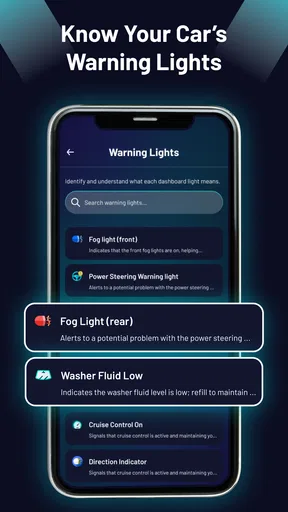
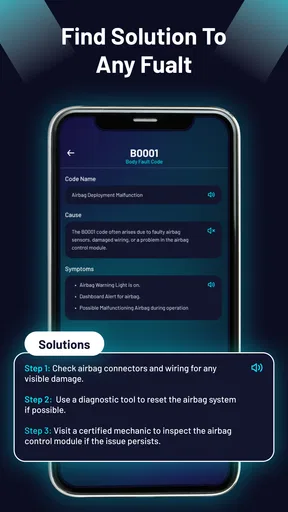
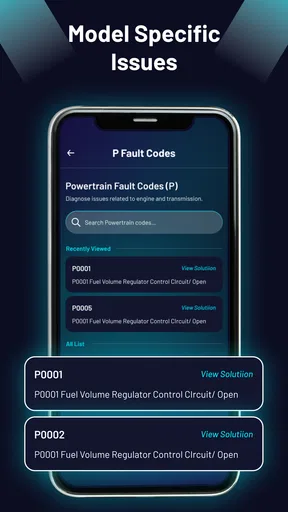
Our Review of OBD2 Scanner: Code Fix Guide
 Analysis by Appyee
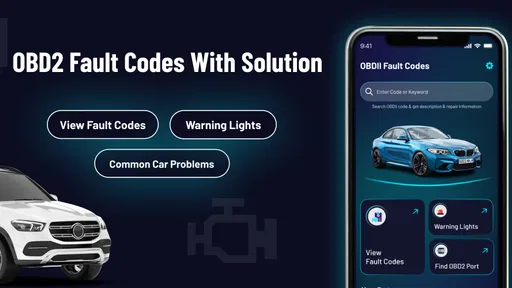
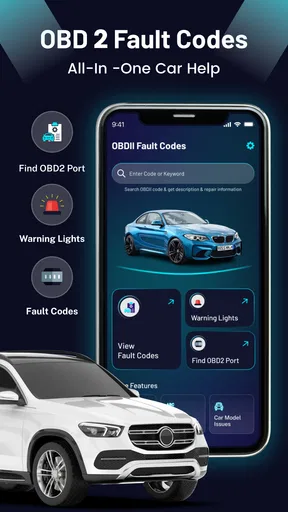
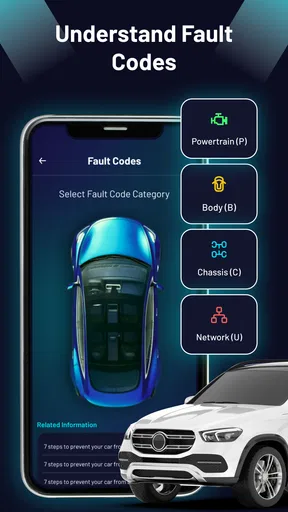
When a dashboard warning light appears, the first problem is often not fixing the car but understanding what the warning might mean. OBD2 Scanner: Code Fix Guide focuses on that first step: helping me interpret OBD2 fault codes and warning lights without requiring a physical scanner. It is an Android app from AMA Technology in the Auto & Vehicles category, and its main value is educational rather than diagnostic hardware.
I found the idea useful for drivers who want a plain-language starting point before calling a mechanic. Instead of immediately guessing from a symbol on the dashboard, I can use the app to connect a fault-code meaning with possible fixes and decide how urgently the car needs attention. That does not turn a phone into a complete workshop tool, but it can make an unfamiliar warning less intimidating.
The app is free to install, with optional in-app purchases ranging from $0.99 to $35.99 per item. It is rated for Everyone, so its presentation is aimed at a broad audience rather than trained technicians. The current version is 1.1.9, and it runs on Android 5.1 or later. With over 10K installs, it has found a modest audience, while its average rating of 3.1 from around 210 ratings suggests that expectations should be realistic.
Understanding the app’s central capability
I’d use this section to clarify the app’s role before discussing where connectivity matters: it helps interpret OBD2 information, but it does not read a vehicle’s computer by itself. That distinction shapes what I would expect when opening it in a garage, at home, or on the roadside. It also leads naturally to the practical question of which parts of the experience may depend on a network connection.
A code guide rather than a replacement for a scanner
The most important distinction is in the name itself. This is a code-fix guide, not a Bluetooth adapter, cable, or workshop scan tool. I cannot treat it as a device that reads a vehicle’s computer by itself. Its usefulness begins when I already have a fault code from another source, or when I need help interpreting a warning-light situation before taking the next step.
That distinction matters because “OBD2 scanner” can mean two different things in everyday conversation. Some people mean the hardware that connects to a vehicle and retrieves stored codes. Others mean an app that explains those codes. This app belongs to the second group. Its strength is turning technical code language into something a regular driver can use when deciding whether to investigate, monitor, or seek professional help.
I appreciate that focus because many drivers do not need a full live-data dashboard for their first question. If the immediate concern is “What does this warning relate to?” a focused reference guide can be less overwhelming than a feature-heavy diagnostic application. The trade-off is that the app cannot provide the complete evidence a mechanic would use, such as confirming the code under current driving conditions or testing the relevant component.
Why warning-light context matters
A fault code should never be treated as a final diagnosis. It normally points toward a system, circuit, or condition that needs attention; it does not automatically identify the failed part. The guide is most helpful when I use it to build a sensible next question: Is the issue related to emissions, ignition, fuel delivery, sensors, or another vehicle system? What symptoms should I observe? Is the car behaving normally, or is there a clear loss of power or unusual noise?
That way of using the app prevents one common mistake: buying a replacement part solely because a code mentions a sensor. A code can reflect wiring, a connector, an air leak, a power problem, or another underlying cause. The app can help me understand the direction of the problem, but I still need judgement, testing, and sometimes professional equipment before spending money.
The real benefit is better decision-making, not instant mechanical certainty. That is the capability I would emphasize to a friend. It gives a driver a vocabulary for discussing the problem and a way to avoid walking into a repair conversation completely unprepared.
How I would use it after a warning appears
My practical workflow would start with safety. If the vehicle is showing severe symptoms, overheating, smoke, a flashing warning, brake trouble, or a major loss of control, I would stop in a safe place and seek appropriate help rather than relying on a reference app. A code guide is for understanding information, not for overriding urgent signs from the vehicle.
For a less dramatic warning, I would first record what happened. Did the light appear during a cold start, acceleration, highway driving, or after refueling? Is the engine idling roughly? Has fuel economy changed? Writing down these details before opening the guide makes the explanation more useful because the code is only one part of the picture.
If I have obtained a code using a separate reader or from a repair shop, I would enter or look up that code carefully and compare the explanation with the car’s symptoms. I would then separate three questions: what system is involved, what simple causes are plausible, and what requires testing. This is a better workflow than reading a suggested fix and immediately ordering a part.
There is also a useful record-keeping habit here. I would save the code, the date, the warning-light behavior, and any work performed. If the light returns later, that history can help a mechanic see whether the original issue was resolved or whether the same condition is recurring. The app becomes more valuable when used as part of a small maintenance record instead of as a one-time search box.
What it can clarify, and what it cannot prove
The guide can clarify terminology that often makes repair estimates feel inaccessible. A driver may recognize the difference between a code pointing toward an oxygen-sensing circuit and one associated with a misfire, even if neither description identifies the final repair. That basic understanding can improve conversations with a workshop and help me ask whether the technician has tested the suspected cause.
It cannot prove that a particular component is defective. It also cannot replace a physical inspection, electrical testing, manufacturer-specific procedures, or a proper road test. Even when a code explanation sounds specific, the correct repair may depend on the vehicle’s make, model, engine, mileage, maintenance history, and additional codes stored at the same time.
This limitation is not a flaw unique to this app; it is a limitation of code interpretation in general. Still, the app’s wording should be read as guidance rather than a promise. I would use it to prepare and prioritize, not to declare a repair complete.
The most useful everyday scenario
Imagine a driver leaving work who notices that the check-engine light has appeared, but the car still starts and drives normally. The driver has no interest in becoming a technician that evening; they simply want to know whether it is reasonable to drive home, what information to gather, and what to ask at a garage. This is where the app makes the most sense.
After getting the code read, the driver can use the guide to understand the broad area involved and compare it with the car’s behavior. They can note whether the light is steady or flashing, whether the engine feels different, and whether the warning appeared after a recent service or refueling. When speaking with a mechanic, they can provide the code and symptoms instead of saying only that “a light came on.”
The app is especially practical for a family car shared by several people. One person may notice the warning while another takes the vehicle to a shop. A short written record based on the guide can reduce confusion between drivers. It can also prevent unnecessary panic when a warning is steady and the vehicle appears normal, while still encouraging timely inspection.
Another realistic use is checking a used car before purchase, but with caution. If the seller has recently cleared the warning light, a code guide will not reveal everything that happened before the reset. I would use the app to understand any codes found during an independent inspection, not as a substitute for that inspection. A clean dashboard alone is never enough evidence that a vehicle is healthy.
Where the no-scanner approach helps
The no-scanner angle can be convenient for people who do not own diagnostic hardware. A phone-based reference guide is easier to keep available than a separate tool, and it can be useful when a code has already been printed on a repair invoice or shown by a parts store. For a first-time car owner, that accessibility may be more important than advanced readings.
It also keeps the first conversation simple. Instead of learning pairing steps, adapter compatibility, live-data graphs, and data logging, I can concentrate on the meaning of the code and the questions that follow. That makes the app a reasonable companion for basic vehicle literacy.
However, “no scanner required” should not be interpreted as “no scanner ever needed.” If I do not already have the code, I may still need a reader, a mechanic, or another diagnostic service to obtain it. The app removes one barrier to understanding, not every barrier between a warning light and a confirmed repair.
Important trade-offs before relying on it
The first trade-off is convenience versus depth. A guide can explain common meanings quickly, but a dedicated diagnostic app paired with compatible hardware may show live sensor values, freeze-frame information, readiness status, and other details. Those tools are better when I am troubleshooting an intermittent fault or trying to verify whether a repair changed the vehicle’s behavior.
The second is simplicity versus vehicle-specific accuracy. OBD2 codes have broadly recognized meanings, but the practical interpretation can vary by manufacturer and engine. A general guide is a useful starting point, while service information for the exact vehicle is more reliable for pin-level testing, component locations, and repair procedures.
The third concerns the word “fix.” In my experience, a code explanation can suggest sensible areas to inspect, but a suggested fix is not automatically a confirmed fix. Replacing a part without checking connectors, wiring, vacuum leaks, fluid conditions, or related codes can waste money. I would treat every repair suggestion as a prompt for verification.
There is also a financial consideration. The app itself is free, but optional purchases are available, from $0.99 to $35.99 per item. I would look carefully at what an optional purchase unlocks before paying, especially if I only need occasional code explanations. For someone who rarely sees warning lights, the free experience may be enough; for frequent use, the value depends on the depth and relevance of the paid material.
How it compares with common alternatives
Compared with searching the web for each code, a dedicated guide can offer a more focused experience. Random search results often mix vehicle-specific advice, forum guesses, and recommendations for parts that may not solve the real problem. A structured reference point is less distracting, although I would still cross-check important repairs against the vehicle manual or a trusted technician.
Compared with a physical OBD2 reader, this app is cheaper to start with and easier to use as an explanation tool, but it cannot retrieve information from the car on its own. A basic reader is the better choice for someone who regularly maintains several vehicles or wants to clear and monitor codes. The app is better for the person who already has access to code information and mainly needs interpretation.
Compared with a professional scan tool, the difference is much larger. Workshop equipment and manufacturer-level systems can expose information that a general guide cannot. They are the right option for complex faults, safety-related systems, recurring problems, or repairs where guessing could cause damage. I would not choose this app as my only resource for serious diagnostics.
Compared with asking a mechanic immediately, the app can help me ask more informed questions and understand the broad issue before the appointment. That can save time in conversation, but it should not become an excuse to postpone a necessary inspection. The best alternative depends on whether my goal is explanation, code retrieval, troubleshooting, or confirmed repair.
Small habits that make the guide more useful
One useful habit is to record every code before clearing anything. Clearing a light may remove context that a technician could need, and it can also make it harder to tell whether the issue returns. I would photograph the dashboard and write down the exact code rather than relying on memory.
Another is to check for multiple codes together. One code may be a consequence of another, and treating the first result as the only problem can lead to a poor repair decision. Reading the entries as a group gives me a better starting point for discussing likely relationships, even though only testing can confirm the cause.
A third is to compare the guide’s explanation with recent events. A battery replacement, water exposure, fuel-system work, rough road impact, or recent maintenance may provide clues. This does not prove causation, but it gives a mechanic useful context and helps me avoid treating the app’s first suggested cause as absolute.
I would also avoid using the app while driving. The best time to consult it is when the vehicle is parked safely, with enough attention available to read the code and record symptoms. That sounds obvious, but warning lights often appear at inconvenient moments, and a reference tool is only helpful when used without creating a new safety risk.
Who will gain the most from it
This app suits everyday drivers who want to understand automotive language without buying diagnostic equipment immediately. It is also a good fit for someone preparing for a repair appointment, checking the meaning of a code found by a friend or shop, or building confidence with basic vehicle maintenance. The Everyone age rating supports that broad, approachable role.
New car owners may gain the most because the guide can turn a confusing dashboard event into a sequence of sensible questions. It is also useful for people who share a vehicle and need a common reference when one driver notices a warning and another handles the appointment. The app’s value is less about technical mastery and more about reducing uncertainty.
I would be less likely to recommend it as the main tool for an experienced hobby mechanic who wants live data, bidirectional controls, detailed manufacturer procedures, or reliable fault verification. That user should consider dedicated hardware and a vehicle-specific service resource. I would also tell anyone facing severe drivability problems or safety warnings to prioritize professional help over app-based interpretation.
My conclusion after weighing its role
OBD2 Scanner: Code Fix Guide works best when I treat it as a practical explanation layer between a dashboard warning and a sensible next decision. It can help me understand fault-code language, organize symptoms, and approach a repair conversation with more confidence. Its no-scanner-required focus is convenient, but it does not mean the phone can interrogate the vehicle or confirm a repair.
AMA Technology has positioned this free Auto & Vehicles app for broad use, and the current version 1.1.9 keeps its purpose straightforward. The average rating of 3.1 shows that it is not a universally convincing experience, so I would approach the optional purchases carefully and judge the app by the specific code information I need rather than by the promise of an instant fix.
My recommendation is measured: install it if you want a readily available OBD2 reference and understand that interpretation is only the beginning of diagnosis. Use it to gather facts, write down symptoms, and ask better questions. Skip it as your sole solution if you need live vehicle data, advanced troubleshooting, or certainty about a complex repair. Used within those boundaries, it can be a handy first stop when an unfamiliar warning light interrupts an ordinary day.
Verdict
Strengths of OBD2 Scanner: Code Fix Guide
- Works with many OBD2-compatible cars and standard diagnostic protocols.
- Can help explain fault codes in simpler, more accessible language.
- Useful for checking potential issues before visiting a repair shop.
- Compact digital reference for drivers who prefer DIY troubleshooting.
- May save time when researching warning lights and engine-related codes.
Limitations of OBD2 Scanner: Code Fix Guide
- Requires a separate compatible OBD2 adapter for live vehicle diagnostics.
- Code descriptions cannot replace a professional mechanical inspection.
- Vehicle coverage may vary by model, year, and manufacturer.
- Some advanced functions may be unavailable without extra tools or services.
- Incorrect repairs based on code guesses could cause further vehicle problems.
Similar Picks in This Category
View All
Android Auto
Google LLC4.1

maxim — order a taxi & food
PT. SITO4.7

Штрафы ГИБДД: проверка с фото
Pays LLC – Штрафы ГИБДД4.7

Номерограм – проверка авто
Авто Ассист4.8

Дром Авто
Дром4.9

Frequently Asked Questions
What is OBD2 Scanner: Code Fix Guide used for?
OBD2 Scanner: Code Fix Guide is designed to help vehicle owners understand diagnostic trouble codes reported by an OBD2 scanner. It provides explanations of common engine and system faults, possible causes, and suggested repair directions. The app is mainly an information and troubleshooting reference, so it should not be treated as a replacement for a professional diagnostic tool or qualified mechanic.
Can OBD2 Scanner: Code Fix Guide scan my car directly?
The app itself should not be assumed to scan a vehicle unless you connect compatible OBD2 hardware and the app specifically supports that adapter. In many cases, this type of guide is used after a separate scanner has displayed a fault code. Before downloading, check the app description and compatibility details to confirm whether Bluetooth, Wi-Fi, or wired OBD2 adapters are supported by your vehicle and device.
Does the app provide exact repairs for every diagnostic code?
No diagnostic guide can guarantee an exact repair from a trouble code alone. OBD2 Scanner: Code Fix Guide can help explain what a code may mean and identify common causes, but the same code can result from wiring problems, sensors, leaks, mechanical faults, or control-module issues. Proper testing is still necessary before replacing parts, particularly when the vehicle has serious symptoms.
Is OBD2 Scanner: Code Fix Guide suitable for beginners?
The app can be useful for beginners because it presents vehicle fault-code information in a more accessible format than a technical service manual. However, users with no mechanical experience should approach repair suggestions carefully. Reading a code is only the first step, and working around batteries, fuel systems, moving components, or electrical wiring can be dangerous without proper knowledge and safety precautions.
Can I rely on the app to clear the check-engine light?
OBD2 Scanner: Code Fix Guide should not be considered a guaranteed way to clear a check-engine light. Clearing codes normally requires a compatible OBD2 scanner with an erase function, and the warning may return if the underlying issue remains. In addition, deleting a code can remove useful diagnostic information and may affect emissions-readiness monitors, so repairs should be completed before resetting the system.
